

Introduction: The Magic of the Guest Perspective
Your wedding day passes by in a beautiful, whirlwind blur. Ask any married couple, and they will tell you the same thing: you spend months meticulously planning every detail, only for the actual day to fly past in what feels like seconds. While your professional videographer and photographer are indispensable for capturing the marquee milestones, they simply cannot be everywhere at once.
While you are cutting the cake, a hilarious toast is happening at the back table. While you are touching up your makeup, your groomsmen are sharing a candid laugh in the lounge. This is where the true heart of your wedding day resides—in the unscripted, raw, and deeply emotional moments captured by the people who love you most.
Traditionally, gathering these rogue snippets of video and photography was a logistical nightmare. Group texts compress your beautiful 4K clips into pixelated thumbnails. Instagram hashtags get lost in the algorithm or missed by non-social-media-savvy guests. Cloud folders require confusing permissions and manual logins that cause guests to abandon the effort entirely.
The Modern Solution: Crowdsourced wedding video apps have completely revolutionized how couples preserve their wedding day memories. By leveraging smart tech like frictionless QR codes and automated AI organization, these platforms allow you to collect hundreds of unfiltered, authentic perspectives effortlessly.
In this ultimate guide, we dive deep into the best crowdsourced wedding video platforms, analyzing features, user experience, and ease of use to help you choose the perfect digital archive for your forever story.
Why Video Crowdsourcing is the Top Wedding Trend
The modern wedding landscape is all about authenticity. While heavily edited, editorial-style wedding films will always hold a sacred place in our hearts, couples are increasingly craving the raw, fly-on-the-wall footage that only a guest’s smartphone can capture.
[Professional Wedding Content] ---- Overlap ---- [Crowdsourced Guest Content]
         │                                                │
   Cinematic Filming                               Candid Behind-the-Scenes
   Polished Storytelling                          Unfiltered Joy & Bloopers
   Key Milestones Only                             Every Angle Covered
Several major shifts have turned guest video crowdsourcing into an absolute must-have feature for modern celebrations:
-
The Death of Disposable Cameras: For a while, vintage disposable cameras made a nostalgic comeback. However, couples quickly realized they are expensive to buy, costly to develop, and frequently result in dark, blurry, unusable photos—with zero video capability. Digital crowdsourcing provides instant gratification at a fraction of the cost.
-
Frictionless QR Code Access: The biggest roadblock to guest participation used to be forcing people to download an app from the App Store or Google Play. Today, the top platforms operate entirely via mobile web browsers. A single scan of a QR code opens an instant upload portal.
-
AI-Powered Organization: The latest platforms feature advanced AI face-recognition and smart sorting, allowing you and your guests to find specific moments instantly without scrolling through thousands of files.
-
Instant Replay & Live Slideshows: Imagine seeing photos and videos taken by your guests during cocktail hour projected onto a screen during the reception dancing. This interactive element keeps energy high and rewards guests for participating.
The Best Crowdsourced Wedding Video Apps Compared
To help you navigate the sea of digital options available, we have thoroughly analyzed the leading wedding video crowdsourcing platforms on the market, evaluating them for ease of use, video quality, storage, and guest experience.
1. Wedding Studio (Best Overall for Simplicity)
Wedding Studio has earned its reputation as a premier platform for couples who want a premium, high-end experience without a single ounce of technical friction.
Why It Stands Out
Wedding Studio’s core philosophy is complete simplicity. They handle everything from digital setup to physical presentation. When you sign up, you gain access to beautifully designed Canva templates for table cards, or you can order custom-printed physical cards delivered right to your door.
Guest Experience
Guests walk up to their reception tables, scan the custom QR code, and are instantly brought to a beautiful web interface displaying the couple’s names and engagement photos. With two taps, they can select multiple high-definition videos and photos from their camera roll and upload them simultaneously. No accounts, no passwords, no app stores.
Key Features & Cost
-
Storage Window: Active for a full 12 months after your wedding day.
-
Resolution: Zero compression; downloads are available in their full, original resolution.
-
Pricing: Packages range from a starter tier at $29 (up to 25 guests) to an unlimited tier at $99 for massive celebrations.
2. GuestCam (Best for AI Features & Audio Integration)
If you love cutting-edge technology that makes life easier for your guests, GuestCam is an absolute powerhouse. It bridges the gap between crowdsourced guest media and professional photography.
Why It Stands Out
GuestCam introduces an industry-first feature called MagicFind™ AI. Instead of scrolling through thousands of photos to find shots of themselves, guests can simply upload a quick selfie. The built-in AI instantly scans the entire wedding gallery and pulls up every single photo or video they appear in.
The Audio Guestbook Bonus
In addition to unlimited video and photo uploads, every GuestCam plan includes an integrated digital audio guestbook. Guests can record emotional voicemails, marital advice, or late-night drunken congratulations directly through the browser portal, saving you the expense of renting a vintage physical telephone audio booth.
Key Features & Cost
-
Sub-Galleries: Allows you to create separate sub-folders for the bridal shower, rehearsal dinner, ceremony, and morning-after brunch within one primary account.
-
Storage Window: Up to 14 months of secure cloud hosting.
-
Pricing: Competitive flat-rate event pricing with comprehensive features unlocked.
3. WedShoots (Best Completely Free Option)
Created by the wedding industry giants at WeddingWire, WedShoots is a widely accessible, entirely free application tailored specifically for photo and video sharing.
Why It Stands Out
For couples working within a strict budget who still want an interactive media hub, WedShoots offers an incredibly stable, ad-supported infrastructure backed by one of the largest wedding marketplaces in the world.
The Catch
Unlike Wedding Studio or GuestCam, WedShoots does require guests to download an app to unlock full functionality. While this can introduce a slight layer of friction for older or less tech-savvy guests, the app provides an engaging, social-media-style environment where guests can “like,” comment on, and vote for their favorite pictures and videos in real time.
Key Features & Cost
-
Live Projection: Features a beautiful real-time gallery mode that can be plugged into a venue projector.
-
Cost: 100% Free.
4. Camdeed (Best Dedicated Video Guestbook Platform)
While many platforms treat video as a secondary feature alongside photos, Camdeed is built from the ground up to prioritize video greetings, virtual toasts, and moving memories.
Why It Stands Out
Camdeed functions as a cinematic digital guestbook. It is specifically optimized to handle heavy video files smoothly without crashing mobile browsers, making it the perfect choice if your primary goal is collecting heartfelt video messages rather than casual snapshots.
Guest Experience
When guests scan the Camdeed QR code, the browser requests camera and microphone access. Guests can then record a video message of any length directly on the spot, or upload clips they filmed earlier in the evening. After the wedding, Camdeed allows you to compile these clips into a beautiful, continuous video compilation with a single click.
Side-by-Side Platform Comparison
| Feature | Wedding Studio | GuestCam | WedShoots | Camdeed |
| App Download Required? | ❌ No | ❌ No | ⚠️ Yes | ❌ No |
| Guest Sign-up/Account? | ❌ No | ❌ No | ⚠️ Yes | ❌ No |
| Video Resolution | Full, Uncompressed | Full, Uncompressed | Compressed | High Definition |
| Unique Highlight | Premium Canva & Printed QR Cards | MagicFind™ AI & Audio Guestbook | 100% Free Platform | Single-Click Video Compilation |
| Storage Window | 12 Months | 14 Months | Unlimited | 12 Months |
| Best Suited For | Maximum Guest Participation | Tech-Forward & Multi-Day Events | Budget-Conscious Couples | Video Toasts & Messages |
How to Get Your Guests to Actually Use the App
Investing in a spectacular crowdsourced video platform is only half the battle; you also need to ensure your guests actively participate. Human beings naturally default to the path of least resistance, so your implementation strategy must make sharing completely effortless.
1. Place QR Codes Strategically
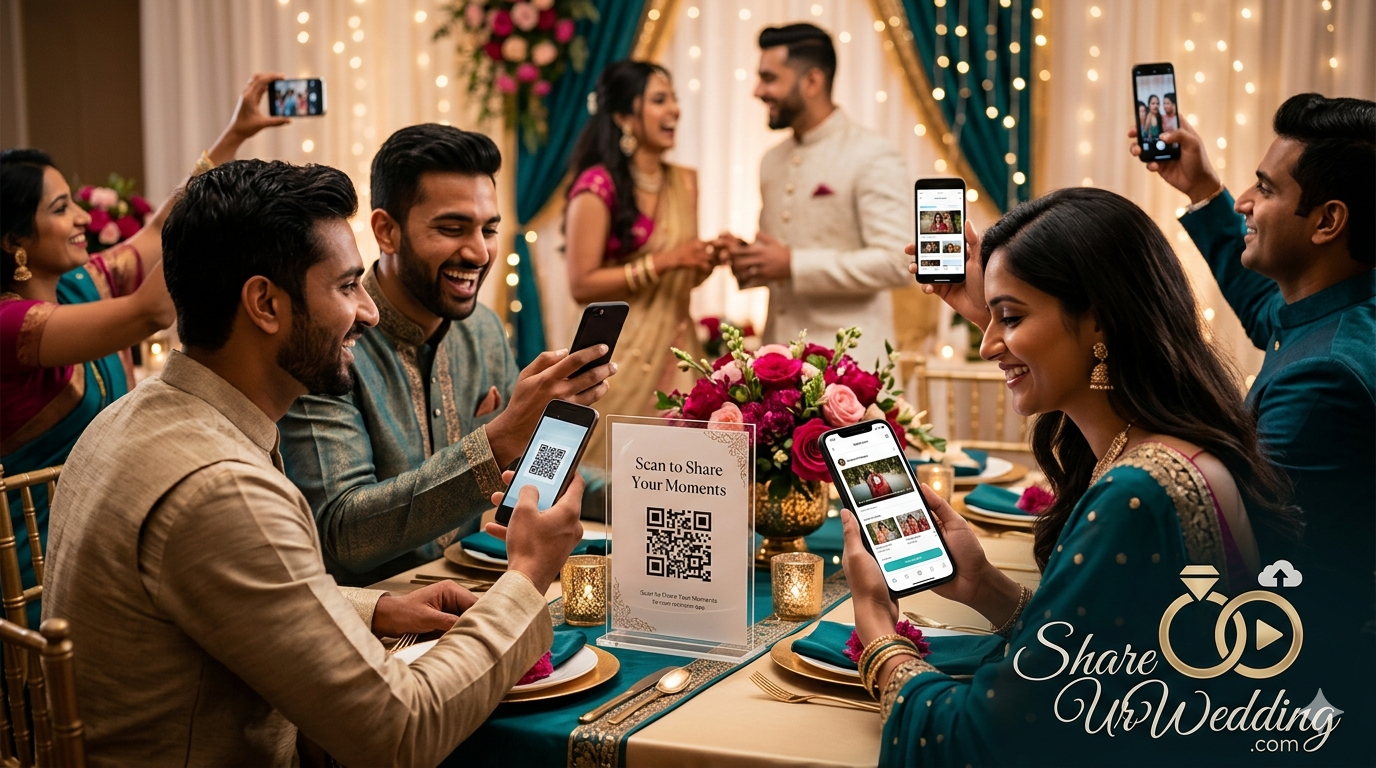
Do not rely on a single sign tucked away at the welcome table. Place beautifully framed QR code signs in high-traffic locations where guests naturally lounge or wait:
-
The Cocktail Bar: Guests love pulling out their phones while waiting for their signature drinks.
-
Every Reception Table: Integrate the QR code elegantly into your table numbers or centerpiece arrangements.
-
The Wedding Program: Include a small QR code on the back of the physical ceremony program.
2. Leverage Your Emcee or DJ
A brief announcement from the microphone works wonders. Have your DJ or MC make a quick announcement right before the open dance floor begins:
“Hey everyone! The happy couple wants to see tonight through your eyes. Look down at your tables, scan that QR code, and upload all the incredible videos and photos you’ve been taking. Let’s fill up their digital album tonight!”
3. Display a Live Slideshow
Nothing drives participation quite like FOMO (Fear Of Missing Out). When guests see their friends’ hilarious videos and candid photos popping up live on the venue’s projection screen or TV monitors, they will immediately want to scan the code and see their own content displayed on the big screen.
The Ultimate Wedding Media Crowdsourcing Checklist
Follow this timeline to ensure flawless execution of your digital guestbook strategy:
3 Months Before the Wedding
-
[ ] Choose your preferred crowdsourced video platform based on your budget and feature needs.
-
[ ] Create your master digital album and customize the landing page with your names and photos.
-
[ ] Download the high-resolution master QR code from the platform dashboard.
1 Month Before the Wedding
-
[ ] Design your physical table signs using Canva templates that match your wedding stationery theme.
-
[ ] Test the QR code with multiple phone types (iPhone and Android) to ensure it scans easily.
-
[ ] Send the print files to a local printer or order acrylic stands for the reception tables.
1 Week Before the Wedding
-
[ ] Inform your wedding planner, maid of honor, and best man about the app so they can help guide guests.
-
[ ] Coordinate with your DJ/MC to schedule live reminders throughout the reception.
-
[ ] If utilizing a live slideshow, test the venue’s AV system and internet connectivity.
The Morning After
-
[ ] Wake up, grab a cup of coffee, and browse through hundreds of unfiltered, hilarious, and emotional moments captured by your loved ones while you sleep!
Frequently Asked Questions
Do my older wedding guests need an app to upload videos?
If you choose a modern browser-based platform like Wedding Studio, GuestCam, or Camdeed, your guests do not need to download an app or sign up for an account. They simply open their smartphone camera, point it at the QR code, and tap the link to instantly upload files straight from their native camera roll.
Will uploading videos use up my guests’ cellular data?
Uploading video files does consume data. To accommodate your guests and ensure smooth, fast uploads, we highly recommend displaying your venue’s guest Wi-Fi network name and password clearly on or right next to your wedding QR code signs.
Can I review and moderate the videos before they go public?
Yes, premium platforms like GuestCam and DropEvent feature robust admin moderation panels. You can toggle a setting that requires all guest submissions to be approved by you, your partner, or your wedding planner before they become visible in the public shared gallery.
Can I still use these platforms if my wedding already happened?
Absolutely! If your wedding took place recently and you are still chasing down friends for videos, you can set up a gallery, email or text the unique upload link to your guest list, and collect all their footage retroactively in one organized space.
How do these apps handle privacy and data security?
Unlike public social media networks, premium crowdsourced wedding apps create a completely enclosed, password-protected, or unindexed private URL. Your data is not sold, and only individuals who possess your specific QR code or direct link can view or contribute to the album.
Conclusion: Preserve the Raw Joy of Your Big Day
Your professional wedding video will be a gorgeous, cinematic masterpiece that you will watch on every anniversary. But your crowdsourced guest video album will be the place you turn to whenever you want to laugh, cry, and relive the unvarnished, ecstatic energy of your reception dance floor.
Don’t let those priceless videos sit forgotten in individual phone galleries or get destroyed by group chat compression. By choosing the right crowdsourced wedding video app, you give your guests a voice, protect your memories, and build an interactive digital time capsule that preserves every single angle of your love story.
Ready to start planning your perfect interactive wedding? Head over to our ShareUrWedding design boards to discover stunning, free templates for your wedding QR signs, or drop a comment below letting us know which app you’re choosing for your big day!